

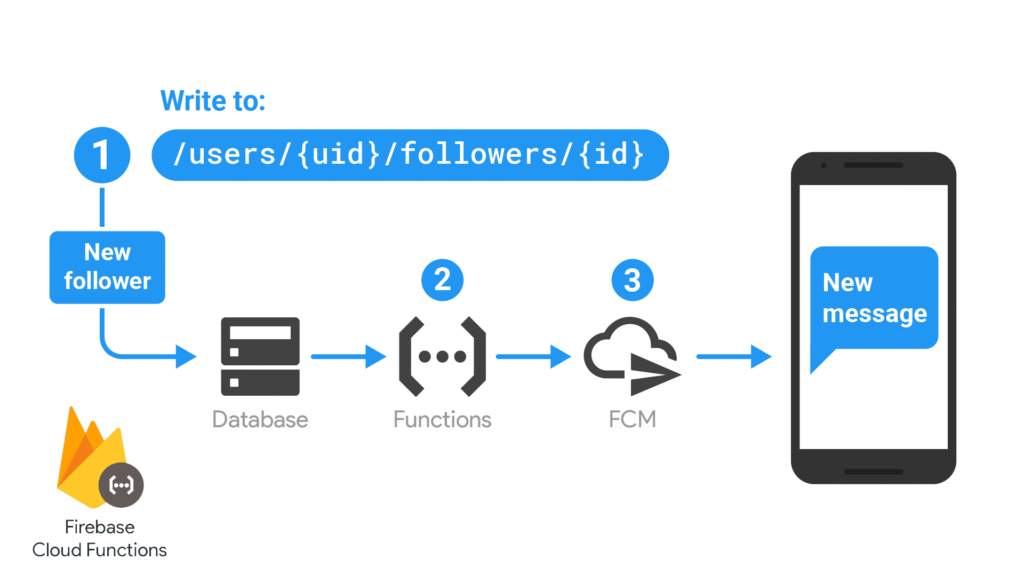
Firebase Cloud Functions Gen 2: How to Start, Ship, and Avoid Pitfalls
Gen 2 Cloud Functions (built on Google Cloud Run & Eventarc) give you faster cold starts, higher concurrency, finer resource controls, and broader trigger coverage than Gen 1. This practical guide shows you how to set up a project, write real functions, configure performance, run locally, and avoid the gotchas teams hit in production.
What’s different in Gen 2 vs Gen 1 (in practice)
- Runtime/infra: Gen 2 runs on Cloud Run via Eventarc (HTTP and event triggers). You get concurrency, min/max instances, and more regions.
- Performance controls: Per-function
cpu,memory,concurrency,timeoutSeconds,minInstances,maxInstances. - APIs & imports: New v2 imports like
onRequest(HTTPS),onSchedule(Scheduler),onMessagePublished(Pub/Sub),onObjectFinalized(Storage), etc. - Billing reality: Many features (e.g., min instances, some outbound access) expect the Blaze plan. Plan your spend limits.
Install the tooling & create the project
We’ll use TypeScript, the Emulator Suite, and the v2 Functions SDK.
# 1) Install the CLI (global is convenient) npm i -g firebase-tools # 2) Create a fresh folder mkdir fx-gen2-demo && cd fx-gen2-demo # 3) Init Firebase (Functions + Emulator + optionally Firestore/Storage) firebase login firebase init # During init: # - Choose "Functions" (and any other products you need) # - Language: TypeScript # - Use ESLint: Yes # - Use the Emulator Suite: Yes (Functions, Pub/Sub, Storage as needed) # - Use npm to install deps: YesIf you didn’t let the wizard install, add the packages manually:
npm i firebase-admin firebase-functions npm i -D typescript ts-node @types/node eslint # Optional (helpful) npm i -D vitest tsx @types/jestFolder layout (what you’ll see)
. ├─ firebase.json # emulators + hosting + functions config ├─ .firebaserc # default project alias └─ functions/ ├─ src/ │ ├─ index.ts # export functions here │ ├─ http/ │ │ └─ hello.ts │ ├─ jobs/ │ │ └─ nightlyReport.ts │ ├─ pubsub/ │ │ └─ onNewOrder.ts │ └─ storage/ │ └─ onUpload.ts ├─ package.json ├─ tsconfig.json └─ .eslintrc.jsYour first Gen 2 HTTPS function (with proper config)
Gen 2 uses v2 imports and exposes per-function settings. Keep HTTP endpoints stateless and idempotent—concurrency means multiple requests share a single instance.
// functions/src/http/hello.ts import { onRequest } from "firebase-functions/v2/https"; import * as logger from "firebase-functions/logger"; // Optional: fine-tune perf per function export const hello = onRequest( { region: "us-central1", memory: "512MiB", cpu: 1, timeoutSeconds: 30, concurrency: 40, minInstances: 0, // set >0 to keep warm (Blaze) maxInstances: 100, invoker: "public", // or ["serviceAccount:xyz@…"] for private }, (req, res) => { logger.info("Hello called", { method: req.method, ua: req.headers["user-agent"] }); res.status(200).json({ ok: true, message: "Hello from Gen 2!" }); } );Export it from index.ts so Firebase can discover it:
// functions/src/index.ts export { hello } from "./http/hello";Event-driven examples (Scheduler, Pub/Sub, Storage)
// functions/src/jobs/nightlyReport.ts import { onSchedule } from "firebase-functions/v2/scheduler"; import * as logger from "firebase-functions/logger"; export const nightlyReport = onSchedule( { schedule: "0 3 * * *", // 3am UTC timeZone: "UTC", region: "us-central1", timeoutSeconds: 540, memory: "1GiB", }, async () => { logger.info("Generating nightly report…"); // do the work (call BigQuery, send email, etc.) } ); // functions/src/pubsub/onNewOrder.ts import { onMessagePublished } from "firebase-functions/v2/pubsub"; export const onNewOrder = onMessagePublished( { topic: "orders", region: "us-central1" }, async (event) => { const { message } = event; const data = message.json; // process new order } ); // functions/src/storage/onUpload.ts import { onObjectFinalized } from "firebase-functions/v2/storage"; export const onUpload = onObjectFinalized( { bucket: "your-project.appspot.com", region: "us-central1" }, async (event) => { const { name, contentType, size } = event.data; // e.g., generate thumbnail, validate type, etc. } );Using secrets & environment config (Gen 2 way)
Prefer Secrets Manager for sensitive values. With the v2 API you can define and access secrets cleanly.
# Create a secret in Google Secret Manager gcloud secrets create STRIPE_API_KEY --replication-policy="automatic" # Add a version (from stdin here for demo) printf "sk_live_xxx" | gcloud secrets versions add STRIPE_API_KEY --data-file=-// functions/src/http/charge.ts import { onRequest } from "firebase-functions/v2/https"; import { defineSecret } from "firebase-functions/params"; const STRIPE_API_KEY = defineSecret("STRIPE_API_KEY"); export const charge = onRequest({ secrets: [STRIPE_API_KEY] }, async (req, res) => { const key = STRIPE_API_KEY.value(); // safely resolved on the server // Use key to call Stripe SDK… res.json({ ok: true }); });Local development with the Emulator Suite
Configure emulators in firebase.json and run everything locally—HTTP endpoints, scheduled jobs (manually), Pub/Sub, Firestore/Storage, etc.
{ "emulators": { "functions": { "port": 5001 }, "pubsub": { "port": 8085 }, "storage": { "port": 9199 }, "ui": { "enabled": true, "port": 4000 } } }# In the repo root firebase emulators:start # Hitting your HTTP function locally curl http://127.0.0.1:5001/PROJECT-ID/us-central1/helloDeploying (regions, limits, and safety)
# Deploy all functions firebase deploy --only functions # Or deploy a single function firebase deploy --only functions:helloRegion & limits: choose a single region close to users/data (e.g., us-central1) to avoid surprise latencies or cross-region egress. Always set maxInstances if a downstream service can’t handle bursts; Gen 2 scales fast.
Common pitfalls (and how to dodge them)
- Concurrency foot-guns: With
concurrency > 1, multiple requests share a single process. Don’t store per-request state in module-level variables. Use local variables or robust caches with request scoping. - Cold starts: Gen 2 cold starts are better, but not zero. If latency SLOs matter, set
minInstances> 0 (Blaze). Keep your bundle light and avoid heavy dynamic imports on module load. - Long-running work in HTTP: Put the work on a queue (Pub/Sub) and return quickly. For synchronous jobs, raise
timeoutSecondsand document client timeouts. - IAM & “public”:
invoker: "public"is internet-exposed. For internal services, restrict to service accounts or use HTTPS callable functions with auth. - Secrets in code: Don’t. Use Secrets Manager via
defineSecret. Never log secrets; scrub logs. - Region mismatch: Event sources (e.g., Storage bucket) and your function must align or be configured explicitly.
- Cost spikes: Fast autoscale + unbounded concurrency can DDoS your own database. Cap with
maxInstances, use connection pools, and implement retries with backoff. - SDK drift: Keep
firebase-adminandfirebase-functionscurrent; breaking changes sometimes land around Node runtime upgrades.
Recommended function config defaults
// A small helper to keep your config DRY export const defaultConfig = { region: "us-central1", memory: "512MiB" as const, cpu: 1 as const, timeoutSeconds: 60, concurrency: 20, minInstances: 0, maxInstances: 200, };Import defaultConfig into each function and override only when needed (e.g., image processing might need 2GiB and cpu: 2).
Testing tips (unit & emulator)
- Pure logic first: extract business logic into plain TS modules and test with Vitest/Jest—fast and stable.
- Emulator integration: start the emulator from tests or CI; point your Admin SDK to emulator hosts via env vars (
FIRESTORE_EMULATOR_HOST,FIREBASE_STORAGE_EMULATOR_HOST, etc.). - Disable retries in tests to avoid flakiness; use fixed seeds for randomized data.
What to install (modules & tools)
firebase-tools(CLI, global or dev dep): deploy, emulators, loginfirebase-functions(v2 API): onRequest, onSchedule, onMessagePublished, onObjectFinalized…firebase-admin: server-side access to Firestore/Auth/Storagetypescript,@types/node,eslint: DX & correctnessvitestorjest(optional): testsgcloud(optional): managing secrets, infra from CLI
# minimal set inside functions/ npm i firebase-admin firebase-functions npm i -D typescript @types/node eslint # helpful extras npm i -D vitest tsxChecklist before production
- ✅ Explicit
region,timeoutSeconds,memory,cpu,concurrency,maxInstances - ✅ Secrets in Secret Manager via
defineSecret; never hard-coded - ✅ HTTP endpoints stateless; heavy work async via Pub/Sub
- ✅ Emulators in CI; unit + integration tests green
- ✅ Logs & metrics dashboards (latency, errors, cold starts, instance count)
- ✅ Billing alerts + budgets configured
Bottom line: Gen 2 gives you the knobs to build reliable, cost-controlled serverless backends. Be intentional about concurrency and instances, keep secrets out of code, and use the Emulator Suite to catch issues early.